
Showing posts with label web design. Show all posts
Showing posts with label web design. Show all posts
Wednesday, 25 May 2011

Web design brief development
Our enterprise company is called 'Feedback Design'. It is a graphic design company that specializes in design for musicians, promotors and venues based in the Leeds area.
I decided to keep the layout relatively simple seeing as the information that is required is quite straight forward. I didn't want to overcomplicate the site both becasue I have never used the software before these workshops - (I dont want to get ahead of myself!) - and also the needs of the company are basic.

I am using a restricted colour pallette as I think that in the case of a design website the content needs to be the focus - to exhibit the work that they have done. I think keeping it simple and direct in terms of design it communicates clearly to potential clients.

I decided to make red roll over buttons to add a dash of colour when it's interacted with.


Logo ideas :
I merged an F and a B to create the logo which I think works well.


I think that inverting the graduated grey tones works better as it gives the impression of the buttons hanging down from the top of the page, guiding the eye down rather than taking the eye to the middle of the page and then up which is less natural.

I used images from friends of mine - djs and bands - which suit the kind of description of clients that we intend on attracting.


I placed the Feedback logo in the bottom corner of the images on the index page to reiterate the brand identity.


index page :

'about' page :

Portfolio :
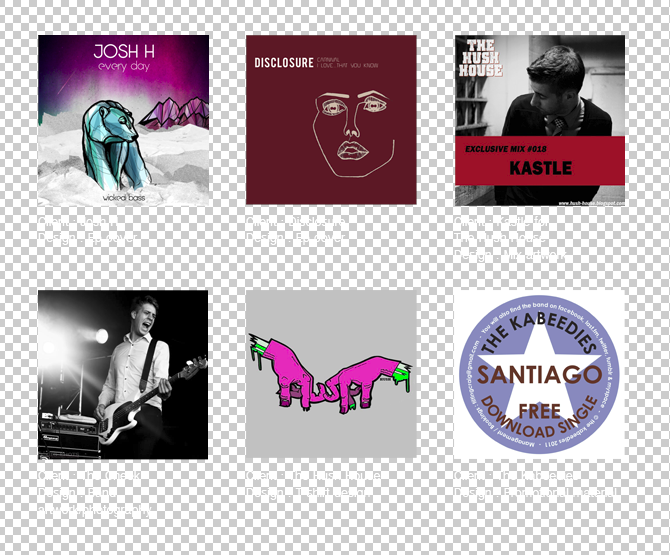

'team' page :

contact page :

Thursday, 5 May 2011
Webdesign software workshop 2 - Thursday 5th May
'CSS Mastery' - good bock for using css
OPENING LAST WEEKS WORK :
To relocate route folder, when opening Dreamweaver, go to manage site, edit, then find folder. If error message doesn't appear, then click sites then manage site at top toolbar.


".dwt " is a template page which allows us to spawn other web pages off it.
" .html " file must first be converted to a .dwt file before this can happen.
CREATING TEMPLATE PAGE :
1) Click in editable region - i.e. big box
2)

3) click 'ok'

4) name it 'content'
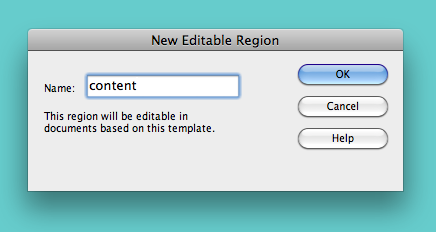
5) its now called 'content' :

6) save as template

7) rename 'template'

8) update links - 'yes'

'templates' folder now appears in 'files' panel

CREATING PAGES FOR THE WEBSITE :
1) new

2) 'page from template'

3) create

4) save as - rename 'index' (replace)


5) Then separately rename it 'home' etc - for all the pages


LINKING PAGES TO TEMPLATE PAGE :
1) make sure you are on the template page
and select 'home' button

then click crosshair symbol

drag across to relevant page (arrow will appear)

will appear in links tab in properties panel

'save all' saves all the pages together

write the name of each page on each one in the contents box as a reference

eg :

ADDING TEXT CONTENT TO WEBSITE :
Client will rarely have copy ready.
'Lorem Ipsum' - www.lipsum.com
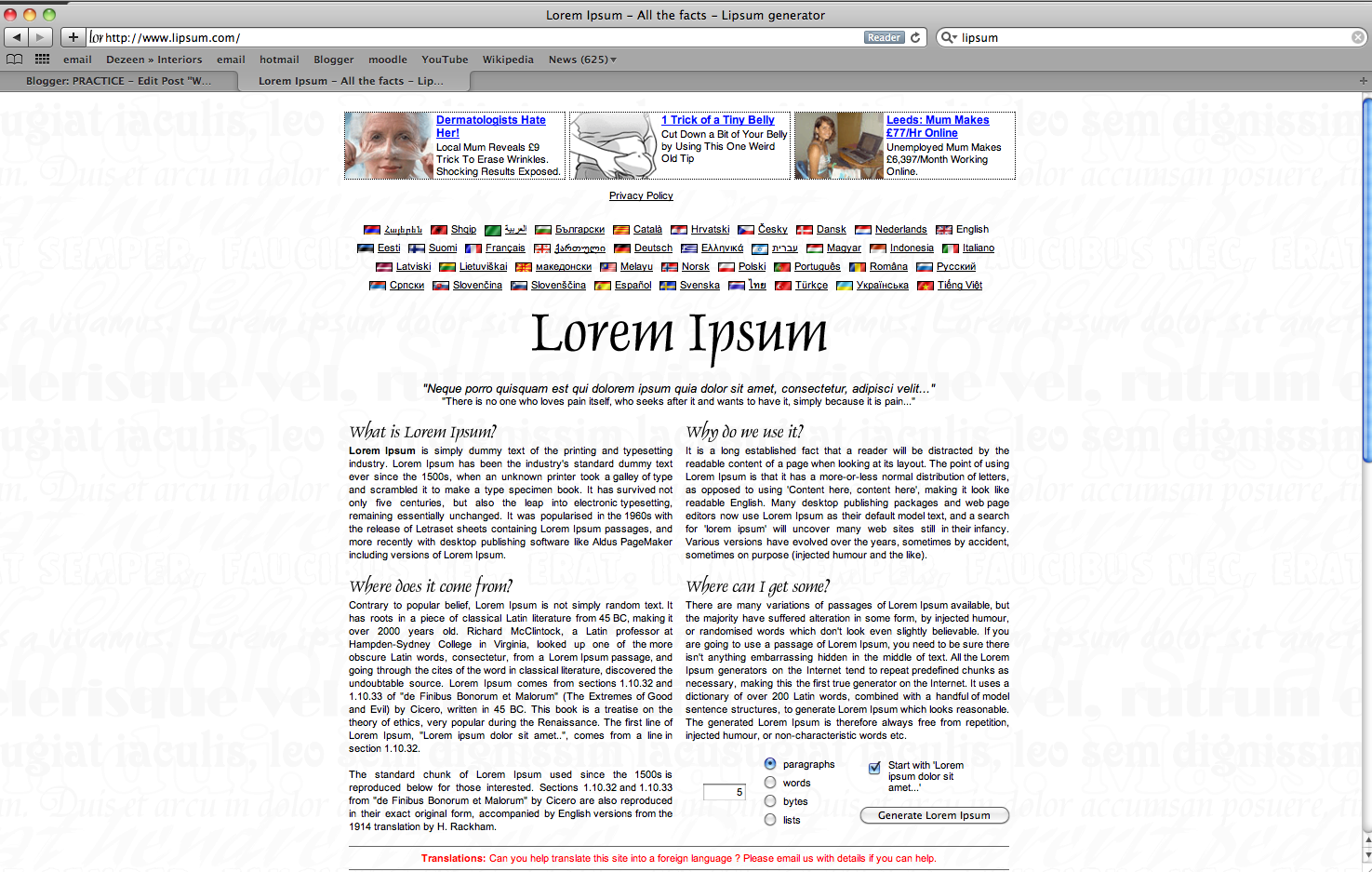
allows you to generate exactly how much text you want :

Simply paste into design view :

However, you are limited to how much you can manipulate the text; you cannot add things like padding...
to insert padding, remove text temporarily, then create an appropriate sized box :

add padding - 20px

add height in coding :


TO EDIT FONT :
'page properties' in properties panel


web fonts are pixels rather than points

ADDING IMAGES :
Good idea is to look at websites you like and view the code to see if you can translate it.
insert - image - select your image.
(image must be saved in 'images' folder in route folder)

Make sure your image is created and saved exactly the size that you want it to be.
Creating an image gallery :
'Lightbox 2' website allows you to create them

gives you step by step instructions.
It will download your creation into 'downloads' folder.
It gives you css and javascript folders which you need to paste into your route folder, as well as the images (but you take these out of the image folder you have downloaded and into your existing images folder).
You can edit the assets (e.g. 'next' button) which will make it look like it fits in with the website you have already designed.
To add the gallery to your site - add the pieces of code to your html - these instructions are on the index folder that you download.
ADDING VIDEOS TO YOUR SITE :
Upload your videos onto a web server like vimeo, as this will make them take up less space than an entire quicktime video.
To embed - copy/paste embed code into html NOT design view
To add multiple videos :
' Yoxview ' Website

ADDING MUSIC TO YOUR SITE :
Easiest way is to create a video with the track on it.
If you need a selection of mp3s (mp3 player) then you usually have to pay, but 'premium beat' is free.

PURCHASING WEBSPACE :
You must buy -
1) Domain name
Go for the cheapest.
If something goes wrong - best to have an English company incase it goes down and you need to contact them.
'123.reg' is incredibly cheap

If your chosen name is taken then contact them to see if you can buy it off them.
Set to 'roll over' to allow you to keep it forever (as long as you keep paying)
2) Webspace
'one.com' is really cheap with unlimited bandwidth/transfer (traffic)

Free hosting for a year.
Make sure your site has FTP - allows you to upload all your files at once.
Don't need bigger size of hosting than the minimum they offer.
Nothing FREE is good. You should always pay for your space otherwise you risk getting ads popping up.
LAUNCHING YOUR SITE :
Site - manage sites - edit

servers

fill out details

upload it to free hosting area to test that it works okay for a couple of days before getting client to pay
e.g. freetzi.com

Ways to get to top of google search list
1) Post daily - blank files.
2) More hits get you further up the list.
EDITING YOUR SITE ON THE MOVE :

'Cushy CMS' allows you to edit your site for free wherever you can get web access.
Full instructions are on the site.
Subscribe to:
Posts (Atom)